Outgrowing Sage MAS 90? – Microsoft Doesn’t Seem To Know What To Do Except Slash Pricing
June 24, 2009

Outgrown MAS 90, but Microsoft can’t really say why.
Below is a review from Paul Ziliak of the Microsoft Web Seminar titled “Outgrowing MAS 90/200 and What to Do About It”.
Paul is a Sage Business Partner and has agreed to allow us to re-post his review of the above seminar. Obviously neither Paul or myself are independent with respect to these opinions as we both represent Sage Software as Business Partners. Therefore use the below feedback in combination with your own research to draw the appropriate conclusion that is right for your company situation. We recommend consulting with a competent business advisor prior to making any decisions on accounting software purchase or implementation.
Paul’s posting is below:
I thought his insights were interesting because I’d received several reports that Microsoft is sponsoring “independent” web seminar that claim to give information on what to do when you outgrow MAS 90 or MAS 200.
I attended a webcast today called “How to Know Your Customers Have Outgrown MAS 90/200 and What to Do About It” presented by The CPA Technology Advisor.
I didn’t see anything in this presentation to suggest that Microsoft GP offers any more than MAS 90 / 200 in terms of functionality, reporting, or technology unless your IT department will accept Microsoft and only Microsoft, or if your system needs to scale to hundreds of users.
Almost nothing was offered telling me ‘How to Know’ and the primary thing I learned about ‘What to do’ is that Microsoft is planning an aggressive pricing promotion in the next 90 to 120 days geared toward moving MAS 90 users. Fair enough. But a lot can be gained by offering a substantial list of identifiers as to whether you’ve outgrown MAS 90. I’ll suggest a few:
* Others in your industry have advantages over you because of technology
* Your users have more technology sophistication than the software can deliver.
* Specifically identifiable functionality does not exist in your system. This gap should be verified inside and outside your organization. The cost of the gap should be measurable.
The webcast’s main presenter was Darren Root of Root & Associates, LLC. He was accompanied by Randy Johnston of K2 Enterprises. The premise of the presentation (which qualified for CPE credit) was that the venerable Sage MAS 90/MAS 200 product lines may have fallen behind Microsoft GP in areas of Functionality, Reporting and BI, Scalability, Limited Ability to Integrate, Low Employee Productivity, and Outdated Technology Due to Limited Research and Development.
I did not record the webcast, but I do not recall any mention of ‘Low Employee Productivity’ beyond its appearance in an early slide. Interestingly, for most of the general examples of software capabilities Mr. Root described the Sage and Microsoft offerings as being comparable.
The webcast offered almost not one specific functional shortfall of MAS 90/MAS 200. And one technology-specific deficiency – the lack of a MAS 90/200 SQL version – was refuted by the presenter himself who acknowledged the forthcoming release (presumed with version 4.40).
Nearly 50% of the audience responded as having zero MAS customers (the webcast was geared toward CPAs with MAS customers), so the audience was perfect for Microsoft to have a webcast dismissing MAS 90/200 without objection.
I note that despite being billed as an educational event there was no Q&A before, during or after the event in spite of the presence of a ‘Type Questions for Moderator’ box during the entire hour long event.
The event offered early access to a white paper at http://www.accountingsoftwareworld.com/whitepaperGP.pdf but my attempts to obtain the whitepaper bombed out Adobe, Internet Explorer and Google Chrome.
While extolling the power of SQL server technology as one of the identifiable differentiators between MAS 90/ 200 and Microsoft GP, Mr. Root did not mention the perhaps the best path that Sage users could take – to Sage MAS 500. This is especially notable considering Mr. Root’s 5 star (out of 5 possible) review of Sage MAS 500 in the December 2007 article in none other than the CPA Technology Advisor. You can find that review here.
http://www.cpatechnologyadvisor.com/print/The-CPA-Technology-Advisor/2007-Review-of-High-End-Accounting-Systems/1$1821
No one is buying systems just to have the technology. Companies are making changes to support strategic initiatives within their organizations. Sage MAS 90 / 200 users who have identified new system needs SHOULD consider what Microsoft has to offer, but don’t overlook what your Sage partner may be able to do to enhance your MAS 90 / 200 solution, or migrate you to MAS 500.
The above post is courtesy Paul Ziliak President, Chicago Office of MicroAccounting Solutions.
Paul is responsible for the Chicago operations. A CPA, Paul has been helping Chicago companies maximize their MAS 90, MAS 200 and MAS 500 systems since 1992. Paul spent a number of years directing the IT consulting practice for BDO Seidman, LP.Paul’s firm represents the Sage product line. Reprinted here by permission of the author.
Corrections, clarifications or any additional information should be left in the comments section.
When to recommend Scanco bar coding for Sage MAS 90 or MAS 200
June 17, 2009

Scanco just sent out a nice PDF document that I think is worth posting. It’s unusual to get a document from a company that doesn’t read like pure sales hype – and this document doesn’t. Kudos to Scanco.
In case you don’t know, Scanco is one of the very long term players in the bar coding solutions for MAS 90 and MAS 200 and MAS 500 marketplace. I’ve seen them at every Sage event that I’ve ever attended.
If you’re looking for a MAS90 bar coding solution – I’d always start here.
Note: Please remember that we don’t sell advertising or accept any money for mentioning products. Take our feedback above as simply another item to add to your own list of evaluation tools that you use to research vendors that you may be considering.
Hosted MAS90 and MAS 200
June 17, 2009

After spending the last 20 minutes searching for folks who Host MAS 90 or MAS 200 – and coming up empty on my search – I’ve decided to create a list of my own.
Please be sure to do your own checking of references. I’m not endorsing any particular company or vouching for their customer satisfaction levels. This is merely a “stepping off point” for you to begin investigating MAS90 hosting.
Tips for MAS 90 Hosting
In my experience these types of companies are great candidates for outsourced MAS 90 or MAS 200 servers:
- No IT Department
- Multiple offices
- Expecting to grow
- Would like to access MAS 90 or MAS 200 from different web connected desktops
And these are the least likely companies to use hosting services:
- Single office
- Under 10 users
- No expected immediate growth
Keep In Mind
- Hosting costs more than buying MAS 90 outright. You may finance it differently but in order to make the costs work you need to have some other factor (usually remote office or lack of IT staff)
- You will still have normal MAS 90 or MAS 200 setup issues — data must be imported or keypunches to setup the system, backups maintained, data upgraded when the versions change.
MAS90 Hosting Options
I-BN – http://www.i-bn.net/
Applianz - http://www.applianz.com/
Claris Networks- http://clarisnetworks.com
(via John Shaver – http://www.ariestech.com – Knoxville Tennessee MAS90, MAS200, MAS500 consulting)
Several of our customers are using Claris Networks (www.clarisnetworks.com) for hosting MAS 90 and MAS 200. They can also host MAS 500, SalesLogix, SageCRM, Abra and FAS (amongst many others). Their prices are reasonable and our customers have nothing but praise for their support and project management services.
The trend that I’m seeing is that as customers need to replace servers, they are comparing the ROI between maintaining an on-site server and moving to a hosted environment.
It makes perfect sense for companies who do not have an internal IT staff since it removes the burden of maintaining servers (service packs, upgrades, backups, hardware failures, etc.).
Software Link - http://www.myownasp.com – Stanley Kania – Phone: 770.569.5889
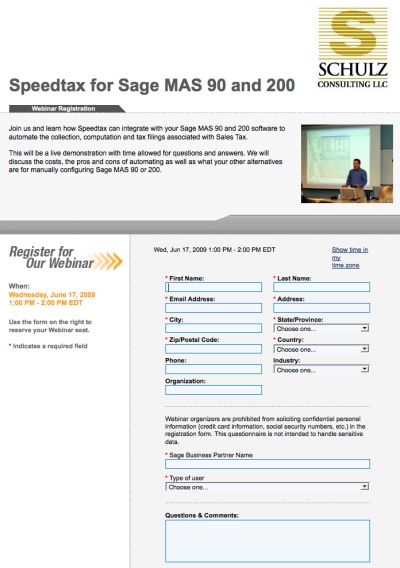
MAS90 Sales Tax Compliance Demo – Today June 17 1pm EST
June 17, 2009

I think in the coming years we will see significant compliance audits by the Government (State and Federal) looking to recover every bit of tax money they can.
Update: Read this WSJ article 6 States Hitting Residents With Big Tax Hikes
If your company is collecting sales tax for multiple states or if your monthly sales tax liability is significant – and you’re not already using a service to help prepare your sale tax returns and calculate the proper tax on every transaction – why?
One common mis-conception about sales tax is that if a company is audited for sales tax they will just re-bill their customer for any tax mistakes.
Wrong
Hardly every happens.
And if it does (provided tax law allows for re-billing the tax) – good luck collecting from your good customers.
Even better luck collecting from the deadbeats…
The only way I’ve seen clients “beat” the Government out of a sales tax audit is to have books and records that are in tip top shape.
If you’re collecting sales tax for several states it’s virtually impossible to keep up-to-date on sales tax rate changes in ever region (and many states have several overlapping jurisdictions that have different tax rates).
So how do MAS 90 and MAS 200 users manage the burden of sales tax compliance?
We’re going to talk about one solution today at 1pm.
It involves integration MAS 90 or MAS 200 with Speedtax which takes your shipping data and automatically computes the proper sales tax. The service also prepares the sales tax filings for you.
Quite honestly a lot of my customers only use these services AFTER an expensive tax audit convinces them of the need to pay attention to the details of collecting tax.
Stay ahead of the game (or at least be better informed of your options).
Register for this Wednesday (today) June 17 1pm EST seminar on
Sales Tax Compliance for MAS 90 and MAS 200 with Speedtax
Payroll Data Entry Audit Reports overwritten in MAS 90 Paperless Office – Solved
June 10, 2009
Here’s a quick tip for anyone with an issue as follows:
- You’re using Paperless Office for MAS 90 or MAS 200
- You’re printing the Payroll Data Entry Report
- Only the LAST version of this report is saved
The solution?
Go into the Paperless Office – Paperless Office Options and UNCHECK “keep only last copy” check mark from the Journals / Registers – Keep only the last PDF Copy option.
You will now have all copies of your Payroll Data Entry Audit Report
Facebook personalized user names available Saturday 12am
June 10, 2009

Starting this Saturday June 13, 2009 at 12:01 am you can claim your own personalized Facebook user name.
Previously you were only able to use a lengthy and difficult to remember URL such as http://www.facebook.com/home.php#/profile.php?id=531173044 instead of an easier to remember URL such as http://www.facebook.com/myname.
These addresses will be issued on a first come and first served basis. Once you claim your new Facebook address you cannot change it or assign it to anyone else.
MAS 90 for the iPhone, Mac, and Web – gets priced
June 10, 2009

Back in May at the Sage Insights 2009 conference we met with the folks over at Blytheco. They have a new product that they’re excited about called BMobile.
What this does is take Sage MAS 90 or MAS 200 screens and transfer them to HTML. This enables you to log into MAS 90 or MAS 200 remotely from just about any web enabled device and use your accounting system.
There are a couple potentially huge advantages to this solution.
First, if the product delivers on the pre-releae promise, you’ll be able to get at your data from any web enabled device via a browser. Previously users had to use a remote solution such as Terminal Server or Citrix.
Second, bMobile will enable some users to setup remote access for customers who demand the ability to review their transactions in real time. In prior cases most MAS 90 users would have had to setup some type of Citrix or Terminal Server access with lots of security limitations for their customer so they could not browse other data.
Third, Blytheco is promising that areas of the program which a user does not have access to may be taken off the screen. So if a customer does not have access to Invoice Data Entry they would not see that option.
bMobile for MAS90 Pricing
bMobile pricing is available online from the Blytheco site. The basic 5 users system is $1,250 for the core foundation and you can add on smartphone access for $1,250 (5 users), CRM integration to SalesLogix Web 7.5 for $1,250 and bMobile B to B which provides Customer SO Entry and Inquiry (seems like a eBusiness workaround) for $1,250.

The complete bMobile for MAS 90 price list is here.
bMobile Demonstration
Here’s a quick demonstration that I filmed while at Insights 2009 where Danny Baker, VP Development for Blytheco walks through the bMobile program.
Link: bMobile
Bumper patch of MS Security updates due Tuesday June 9, 2009
June 5, 2009

On Tuesday June 9, 2009 Microsoft is planning to release a big set of security patches for Windows. There will be ten updates – six of which will address critical system flaws either in the operating system or a Microsoft application.
The patch count is as follows:
Internet Explorer and various Windows components – Five
Microsoft Office Components – Three
Windows – Two
Expect your systems to need a reboot after the patches are applied. More information on what’s not in the pack can be read from Microsoft’s site here.
via Register
New iPhone pre-announced by Walt Mossberg
June 4, 2009

So far as I’m aware there has not been any official announcement of a next generation iPhone from Apple. And, don’t panic, I know the graphic in the image above is of the new Palm Pre – and not an iPhone. The graphic is part of Walt Mossberg’s just released Palm Pre review.
Sure, there’s tons of speculation. And there’s a new rumor that seems to pop up each week (see this graphic for a nice compilation of rumors).
But until now there wasn’t anything “super authoritative” to indicate that a new iPhone “for sure” would be announced by Apple on Monday at their WWDC event.
That is until Walt Mossberg of the WSJ published his Palm Pre review. In the review he clearly states (twice) that a “new iPhone to be unveiled next week”. He does not make any indication when the new iPhone might ship.
Interesting to note that he didn’t say “iphone – S” (plural) as some have speculated.
Google Local now lets you measure how often your business appears in Google Map and Local search results
June 2, 2009

Google is trying to get more businesses to claim their local listing profile on Google Local. This is the result that appears when a web visitor searches for your name on Google Maps.
Starting today those businesses with a listing will also have access to free dashboard that provides feedback on the numbers of web visitors that view a company’s local listing. This obviously will help Google sell ads or upgrades at some future point. However for new it helps business owners to review exactly how powerful (or not) their Google Maps search results are.
Since the listing itself is free there’s not reason not to head over and setup your own Google Profile for business. In addition to the mundane street address and phone number you also have the opportunity to upload photos and YouTube videos (which I recommend because they will set you apart from your competitors). Some custom fields can be added which provide additional frequently asked questions that are not in the boilerplate Google listing profile.

How to move Paperless Office PDF files for Sage MAS 90 or MAS 200
June 2, 2009
Have to transferred your Sage MAS 90 accounting system to another location on your network?
If so, and if you’re using Paperless Office, you probably found that moving Paperless Office for Sage MAS 90 or MAS 200 is not as easy as dragging all the PDF files from one folder location to another.
If you’ve tried this then you already know there are several Sage MAS 90 and 200 data files which track the location of your PDFS. If you simply drag and drop the PDF files without moving them via the Sage MAS 90 menus then you’ll no longer be able to view the data through the standard Sage MAS 90 and 200 paperless office viewer menus.
For this reason there is a specific procedure you must follow to move all your PDF documents. The Paperless Office menus have this option available from within each viewer screen.
How to move .PDF documents for Paperless Office in Sage MAS 90 and 200 4.30
Paperless Office file list for Sage MAS 90 and MAS 200
June 2, 2009
Here’s a great summary that shows the names of the system files which hold “behind the scenes” information about MAS 90 and MAS 200 Paperless Office.
This information can be useful in diagnosing system level problems or in restoring data files from a backup should you experience problems with Paperless Office.
WARNING: Do not make any changes to these files unless you know what you are doing. Consult a qualified Sage Business Partner for assistance. This information is believed accurate at the time of publication. Use at your own risk. Schulz Consulting takes no responsibility for damage that you may do to your data files.
Accupos for Sage MAS 90 recorded demo
June 1, 2009

Looking for a Point of Sale solution that integrates to your Sage MAS90 or MAS200 accounting software?
Join the newest Endorsed Partner for Sage MAS 90, AccuPOS Point of Sale, and learn about the opportunity available for you to reach into the Point of Sale market without traditional challenges many partners face in the retail sector. Focused on cash and carry retailers and on restaurants, this award winning front end software uses the inventory of Sage MAS 90 allowing you to remain the expert in the product with which you are already familiar. AccuPOS has provided and supported Point of Sale for Sage financial management solution users for over ten years and we are excited to present them as our newest Endorsed Partner.
QuickBooks Pro 2009 – $59.99 Today (June 1, 2009) Only
June 1, 2009

Today only (June 1, 2009) grab a copy of QuickBooks Pro (full version) for only $59.99 at Staples.com. This is an online deal only and is not available in store (though you may order online and have it shipped to your store). Staples offers free local shipping.
The pricing is about half of the QuickBooks normal street price which seems to fluctuate between $119 and $130.
If you’re using an older version of QuickBooks this represents an excellent opportunity to come current. Remember that Intuit periodically requires anyone using Payroll to be on their latest supported version and has recently stopped supporting QuickBooks 2006 which means that anyone using that version who wants to continue using payroll MUST upgrade. This deal is the lowest price that I’ve seen.